
What lesson notes do for Preply tutors
Preply students often book a regular weekly lesson and pay ahead. They stay when they can see progress and leave when lessons start to feel the same. Clear lesson notes after each session are one of the most reliable ways to show progress and keep a student for months.
Notes also help you. With a full schedule of students at different levels and in different time zones, notes are what let you open each lesson knowing exactly where you left off.
This article covers what to write after a Preply lesson, how to keep it consistent, and examples for general English, business English and exam students. It describes good teaching practice and does not describe Preply's own tools or settings, which can change.
What to write after a Preply lesson
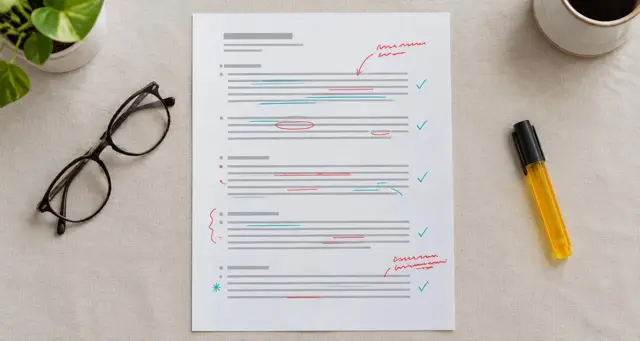
- Lesson focus. One sentence on the topic and the skill, such as "Talking about past experiences, focus on the present perfect."
- Wins. One or two specific things the student did well, with evidence.
- Corrections. Three to five of the most useful corrections, each with the student's sentence and the better version.
- New words. The vocabulary that came up, with short example sentences.
- Homework. One task with a clear finish line.
- Next lesson. The topic you will start with next time.
Example: general English, intermediate
- Lesson focus: Talking about life experiences with the present perfect.
- Wins: You used "I have never..." and "Have you ever...?" naturally and asked me three questions back.
- Corrections: "I have been to Paris last year" becomes "I went to Paris last year." "I never have eaten sushi" becomes "I have never eaten sushi."
- New words: bucket list, once in a lifetime, to look forward to.
- Homework: Write five sentences about things you have and have never done. Send them before Thursday.
- Next lesson: Present perfect versus past simple in stories.
Example: business English
- Lesson focus: Presenting quarterly results in a team meeting.
- Wins: Your structure was clear: headline result, reasons, next steps. You kept to three minutes.
- Corrections: "The sales have increased of 10%" becomes "Sales increased by 10%." "I will explain you" becomes "I will explain to you" or simply "Let me explain."
- New words: year on year, to outperform, a slight dip, to account for.
- Homework: Record your three-minute presentation again using two of the new phrases.
- Next lesson: Handling questions after a presentation.
Example: exam preparation
- Lesson focus: IELTS Writing Task 2, opinion essay planning.
- Wins: Your plan had a clear position and two supporting reasons, each with an example.
- Corrections: Your introduction repeated the question word for word. Paraphrase it. Your second body paragraph lacked a topic sentence.
- New words: it could be argued that, a compelling reason, on balance.
- Homework: Write one full essay in 40 minutes on the topic we chose. Count your words.
- Next lesson: Feedback on your essay and linking ideas between paragraphs.
Keeping notes consistent across many students
Use the same six headings for every student. Students learn where to look, and you can compare notes over time to see progress. Keep one running document per student, with the newest note at the top, so both of you can scroll back through the weeks.
Consistency also makes progress conversations easy. When a student asks whether they are improving, you can show them corrections that no longer appear and vocabulary they now use without help.
Using notes to show progress
Every four to six weeks, read back through a student's notes and write a short progress summary: what has improved, what you are working on next and why. Students on regular plans value this check-in, and it is a natural moment to set new goals.
For conversation students, one of the clearest signs of progress is how much of the lesson they speak. A student who started by speaking a small share of the time and now speaks most of it has made real progress, even if it is hard for them to feel.
Common mistakes Preply tutors make with notes
- Notes only when there is time. Inconsistent notes are hard to use for progress. A short note every time beats a long one occasionally.
- Corrections without the student's sentence. Show what they said and the better version.
- No next lesson line. Students on weekly plans should always know what is coming next.
- Mixing in private notes. Keep your own observations about motivation or scheduling separate from what the student reads.
Writing Preply lesson notes faster
Keep a document open during the lesson and jot corrections and new words as they come up. In the last few minutes, tidy them into the six headings and share the note before you say goodbye.
Jotmonk records the lesson in the browser, keeps the tutor's and the student's voices apart and drafts the lesson notes for you to review. You then share them with the student wherever you normally do.
Example: a child or teenage student
- Lesson focus: Describing a daily routine with the present simple.
- Wins: You remembered the "-s" on "she goes" and "he plays" every time today.
- Corrections: "I am go to school at eight" becomes "I go to school at eight."
- New words: usually, sometimes, never, after school.
- Homework: Draw your Saturday as four pictures and write one sentence under each.
- Next lesson: Asking questions about routines: "What time do you...?"
Writing for parents as well as the student
When the student is under 18, the parent is often the one who pays and decides whether to keep booking. A parent does not need every correction. They need to know what was covered, one thing their child did well and what to help with at home.
Keep a short second paragraph for the parent at the end of the note, in plain language and without teaching terms. Two or three sentences is enough. Over a term these small updates do more for retention than any single lesson.
Turning notes into a monthly progress update
Once you have four or more lesson notes for a student, you have the material for a monthly update. Read them in order and pull out three things: what the student can now do that they could not do at the start, the mistakes that keep coming back, and the focus for next month.
Send the update as a separate message so it does not get lost among lesson recaps. Students who see a month of progress written down are much more likely to renew their lesson package. If you want a structure to follow, use a student progress report template and fill it from your notes.
Questions Preply tutors ask about lesson notes
How long should notes be?
Usually 100 to 250 words. Enough for corrections and vocabulary, short enough to read in a couple of minutes.
Should I write notes for a first lesson?
Yes. A clear note after a first lesson shows the student how you work and gives them a reason to book a plan.
What if a student never reads them?
Refer to the notes at the start of each lesson, for example by reviewing two corrections. Students start reading once notes become part of the lesson.