
Coding tutor lesson notesTeach the code. Jotmonk keeps the steps.
Coding lessons move fast: a concept, a bug, a fix, a decision. Jotmonk writes down what you walked through, so your student can rebuild it on their own.
Steps we worked through
- 1Read the CSV with the csv module
- 2Found the bug: the header row was counted as data
- 3Skipped it with next(reader)
- 4Wrapped the loop in a function
Key term
next(reader)
Moves past one row before the loop starts.
Decision and why
A function, so the same code can read next week's file.
Why coding students get stuck
It made sense in the lesson. Two days later it does not.
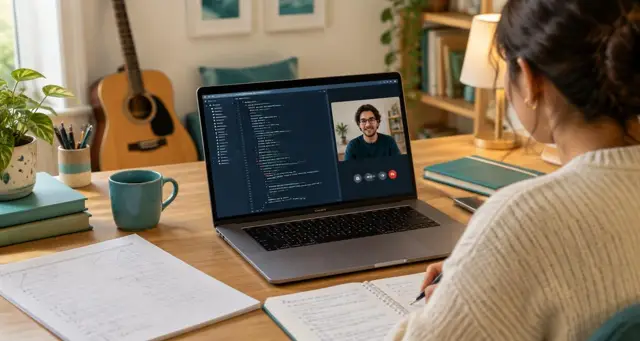
In a coding session your student watches you reason through a problem in real time. They follow every step. Then they sit down alone, open the editor, and cannot remember why the fix worked.
Jotmonk turns what you said into steps in order, so the reasoning survives the session. Talk through what you are doing, as you already do, and it lands in the notes.
Mistake to fix
“I am agree” → “I agree”
Please confirm
Was “bajo” about the price or the volume?
Notes built for technical lessons
Steps, terms and decisions, not vocabulary lists.
Steps in order
The sequence you walked through, so the student can repeat it without you.
Key terms, explained
Every term you introduced, in your own words from the lesson.
Decisions and why
Why you chose one approach over another, kept for next time.
What the student can now do
The skills from this session, written as things they can do on their own.
Key terms
- la entrevista · el puesto · la experiencia
Pronunciation
- experiencia: stress on -RIEN-
What to work on
- Past tense endings when you talk about last week
Where we stopped
- Question 4 of the interview practice
Between sessions
Practice tasks your student can actually start.
Every note ends with what to build or fix before the next session, and what you promised to review. Open tasks carry into the next lesson's focus, so a half-finished exercise does not quietly disappear.
Your private side keeps your own observations: where the student hesitates, what to try next time, which project would keep them motivated.
- Read sales.csv and print the total for March
- Add a check for empty rows
- Bring one error message you could not solve
Open tasks carry into the next lesson's focus.
A sample coding session note
SESSION NOTES (sample lesson)
Student: Daniel      Topic: Python, reading files      Session 6

Summary
We read a CSV file, found why the totals were wrong and wrapped the code in a function.

Steps we worked through
1. Opened the file with the csv module
2. Found the bug: the header row was counted as data
3. Skipped it with next(reader)
4. Moved the loop into a function

Key terms
- next(reader): moves past one row before the loop starts
- function: a named block of code you can run again

Decision and why
A function, so the same code can read next week's file.

Practice before next session
- Print the total for March from sales.csv
- Add a check for empty rows
Every kind of technical lesson
Web, data, no-code tools and interview prep.
Web development, Python, JavaScript, data analysis, SEO, spreadsheets, no-code tools and technical interview prep all produce steps and tasks rather than vocabulary. Jotmonk keeps both the tutor's and the student's side of the session, with the voices kept separate.
It works with any lesson that plays in a browser tab, so you can teach on Google Meet or Zoom on the web while you share your editor.
Observations
Loses confidence when asked follow-up questions.
Open items
Send the list of common interview questions.
Skills progress
Interview answers moved from developing to secure.
Health, family and money details stay out of the student's version unless you add them.
Questions tutors ask
- Does Jotmonk read my screen?
- No. Jotmonk records audio only. Video is never recorded. Talk through what you are doing and it lands in the notes.
- Can students see the notes?
- Students see only what you review and send.
- Can I check where a step came from?
- Yes. Each item can show the supporting quote from the lesson.
- Can I download the notes?
- Yes. Notes download as PDF or Word, and you can search across all your notes.
- What happens to the audio?
- Lesson audio is deleted about 24 hours after your notes are ready.
Related articles
Latest articles
Your next coding session can end with the steps already written.
Join the waitlist and we will invite you as places open.