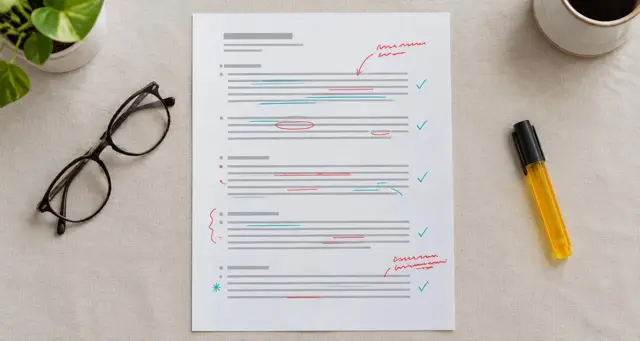

Why feedback after an online lesson matters more
In a classroom, feedback happens all the time: a nod, a quick word at the door, a comment on a worksheet. Online, the lesson ends with a click and the student is gone. Unless you write something down, the student leaves with whatever they happen to remember.
Written feedback after an online lesson fills that gap. It reminds the student what they achieved, shows the one or two things to work on and tells them exactly what to do before the next lesson. Done well, it is also one of the clearest signals of a tutor who cares, which is a big reason students rebook.
When to send feedback
Send it the same day if you can, and within 24 hours at most. The student still remembers the lesson, the corrections still feel connected to what they said, and the homework has time to happen before the next session.
Some tutors write feedback in the last three minutes of the lesson and share it before saying goodbye. This works well for short, focused notes and lets the student ask questions on the spot. Others prefer to write after the call when they can think more clearly. Either works, as long as it is consistent.
If you teach back to back, block five minutes after every second or third lesson for notes. Waiting until the end of the day usually means the details blur together.
How much to write
Aim for something the student can read in under two minutes, usually 80 to 200 words. Short enough to read on a phone, long enough to be specific.
Limit corrections to the two or three that matter most. A long list of mistakes tells the student that everything went wrong and hides the correction they most need. Keep the rest in your own private notes for later lessons.
A simple structure that works for any subject
The complete guide to lesson notes for online tutors explains each part in depth, and the feedback examples article has wording you can adapt for each one.
- What we covered. One or two sentences on the topic and activity.
- What went well. One specific strength with evidence.
- What to work on. The main correction with the better version written out.
- Homework. A task with a clear finish line.
- Next lesson. Where you will start, so the student arrives ready.
How to word feedback so students act on it
Start with something true and specific
Not "good job," but what exactly was good. "You told the whole story in the past tense without stopping" is praise the student can repeat.
Write to the student, not about them
"You used the past tense well" feels personal. "Student used past tense" reads like a report about someone else.
Give the better version
Every correction should include the right answer or the next step. "'She go' becomes 'she goes'" is useful. "Watch your verbs" is not.
End with one clear action
The student should finish reading and know exactly what to do. One task they will do beats three they will not.
Keep your own voice
Write the way you talk in the lesson. If you are warm and informal on camera, a stiff formal note feels strange.
Feedback for different kinds of students
Beginners
Lead with wins and keep corrections to one or two. Beginners can feel overwhelmed quickly, and confidence drives practice.
Exam students
Link feedback to what examiners look for and to how much time is left before the exam. Exam students want to know how close they are.
Children and their parents
Use simple language for the child and add one line for the parent about progress and how they can help at home.
Adults and professionals
Be direct and link feedback to their real goal, such as a job interview, a presentation or a trip.
Where to send feedback
Send feedback wherever the student already reads messages from you: the platform's message area, email or a shared document. The channel matters less than consistency. Students should know where to find every note.
A running document per student, with the newest note at the top, makes progress easy to see. After a few weeks, the student can scroll and see how far they have come.
Common mistakes in lesson feedback
- Sending nothing. The most common mistake. Even three lines are better than silence.
- Waiting too long. Feedback sent days later feels like admin, not teaching.
- Listing every mistake. It discourages the student and hides the main point.
- Copy-and-paste notes. Students notice when feedback could have been written for anyone.
- Mixing in private observations. Notes about mood, motivation or business belong in your own private notes, not in what the student reads.
Making feedback faster
Use the same headings every time so you never start from a blank page. Keep a small bank of phrases for common corrections in your subject. Write your quick private notes first, then choose what the student needs from them.
Jotmonk records the lesson, keeps the tutor's and the student's voices apart and drafts the lesson notes for you to review and send, so feedback is ready when the call ends.
Questions tutors ask about feedback after lessons
Should I give feedback after a first lesson?
Yes. A short, specific note after a first lesson shows the student what learning with you will be like.
What if the student never replies?
Many students read feedback without replying. Ask a quick question about it at the start of the next lesson to check.
Can feedback be spoken instead of written?
A short voice message can work well, but a written note is easier to find and reread before the next lesson.